← Premium Tools
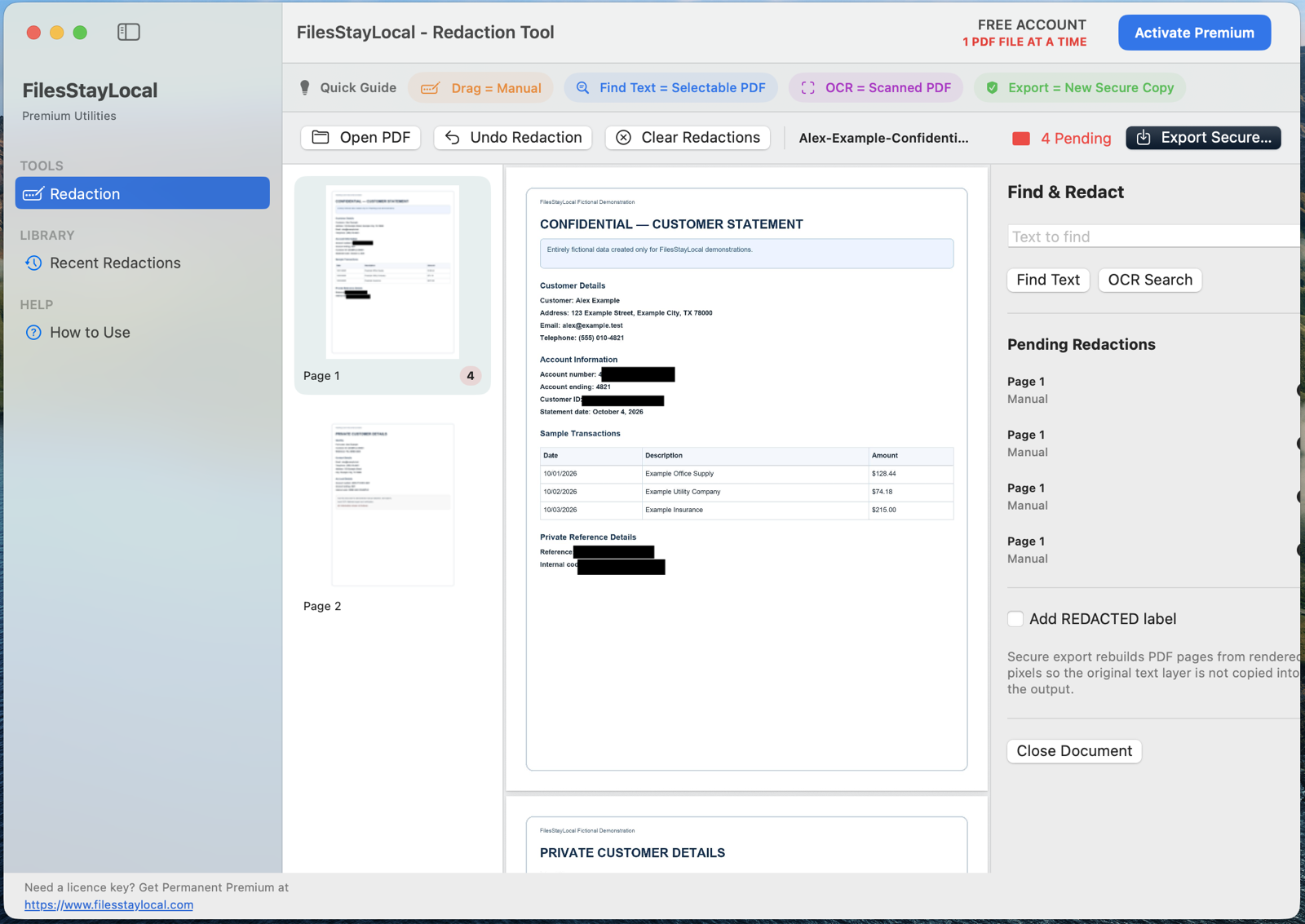
Private PDF Redaction application view
PRIVATE PDF REDACTION
Private PDF Redaction
Remove sensitive information — not just hide it.
Private PDF Redaction lets you mark sensitive content, use text search and local OCR where supported, export flattened redacted pages and verify the resulting copy before sharing.
Mac — Available Now
⊞ Windows — Coming Soon
See how it works
A clear workflow with your files staying on your computer.
1
Start privately
2
Choose the PDF
3
Review the document
4
Find and mark sensitive data
5
Preview redactions
6
Verify the exported copy
Free vs Permanent Premium
Same core engine. Premium removes the workflow limit.
Free Account
Work with 1 PDF file at a time.
- Same privacy and processing engine
- Local desktop processing
- Good for occasional use
Permanent Premium
Multi-PDF work queue.
- No recurring subscription
- Designed for regular workflows
- One-device licence that you can move yourself
- No background licence monitoring
Why upgrade?
Designed for contracts, statements, case files, customer records and other workflows where many PDFs need the same careful process.
Designed for contracts, statements, case files, customer records and other workflows where many PDFs need the same careful process.
Privacy by design
Never uploaded
Your working files remain on your computer.
Same core engine
Free users do not receive weaker privacy or accuracy.
Permanent Premium
No recurring subscription.
User-controlled transfer
You initiate moving Premium when you change computers.
Frequently asked questions
Does redaction upload my PDF?
No. The document is processed locally.
Is putting a black rectangle over text enough?
A visual cover can leave underlying content accessible. FilesStayLocal creates a flattened exported result using its redaction workflow.
What is different in Premium?
Free and Premium use the same redaction, OCR, export and verification engine. Premium adds the multi-PDF work queue.